The kernel log is one of the most important pieces of information for identifying failures on an Antminer. It shows records of the machine's operation, hashboard errors, temperature failures, fan issues, PSU problems, pool issues, firmware, and other important alerts.
When an Antminer shows zero hashrate, a chain error, an undetected hashboard, high temperature, or any failure on the panel, the kernel log helps you better understand what's happening.
In this tutorial, you'll learn how to download the current log and the log history from your Antminer to send for technical analysis by LDM Brasil Repair.
Before you start
Have your Antminer's IP address, username, and panel access password ready. The computer or phone needs to be connected to the same network as the miner.
Step 1: Access the Antminer panel
Open your browser and type in your Antminer's IP address. Then log in with the machine's username and password.
Usually, access is done through the local IP address, for example:
192.168.1.xxx
After logging into the panel, you'll see the miner's main page.
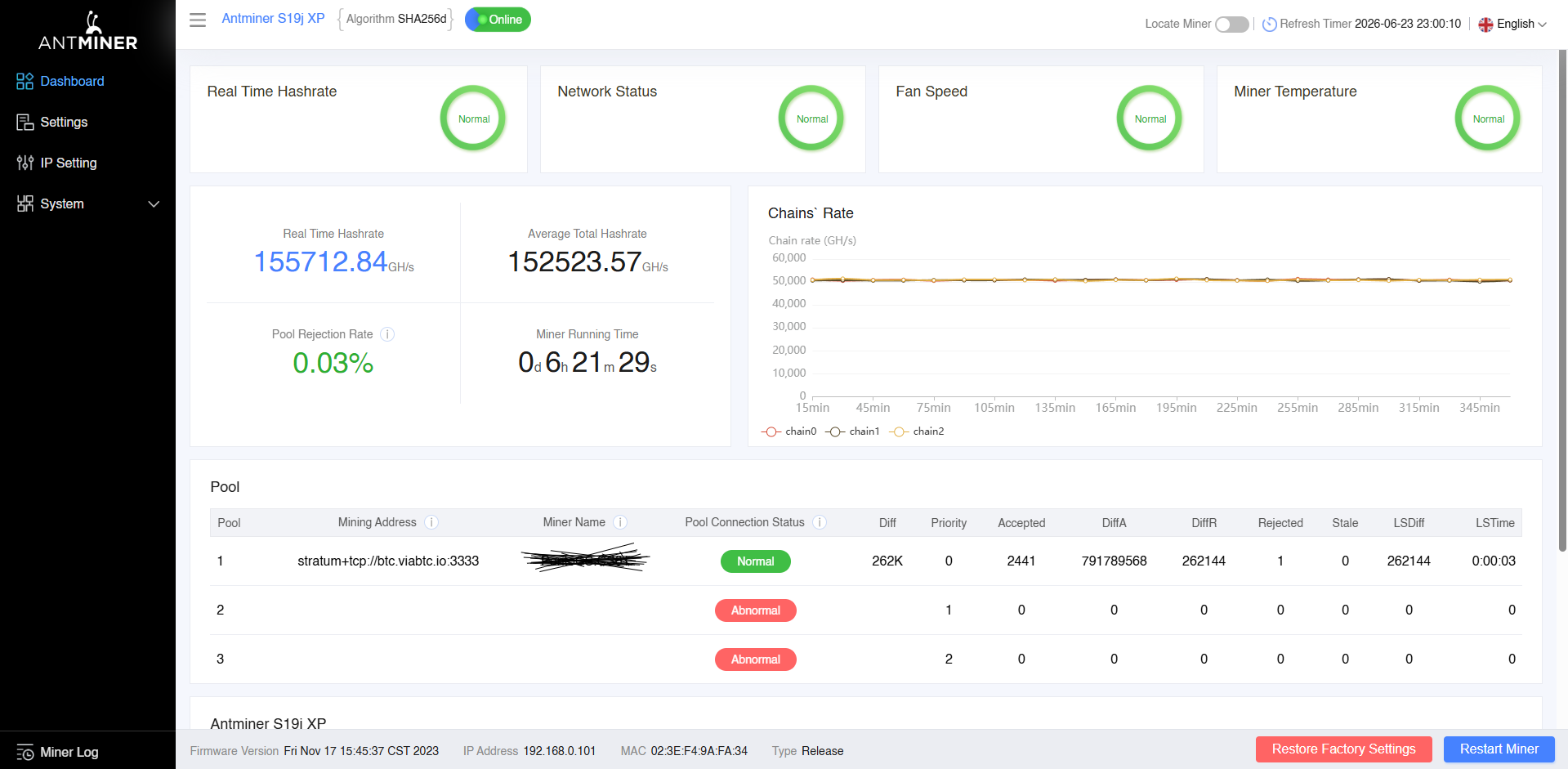
Step 2: Go to the Miner Log option
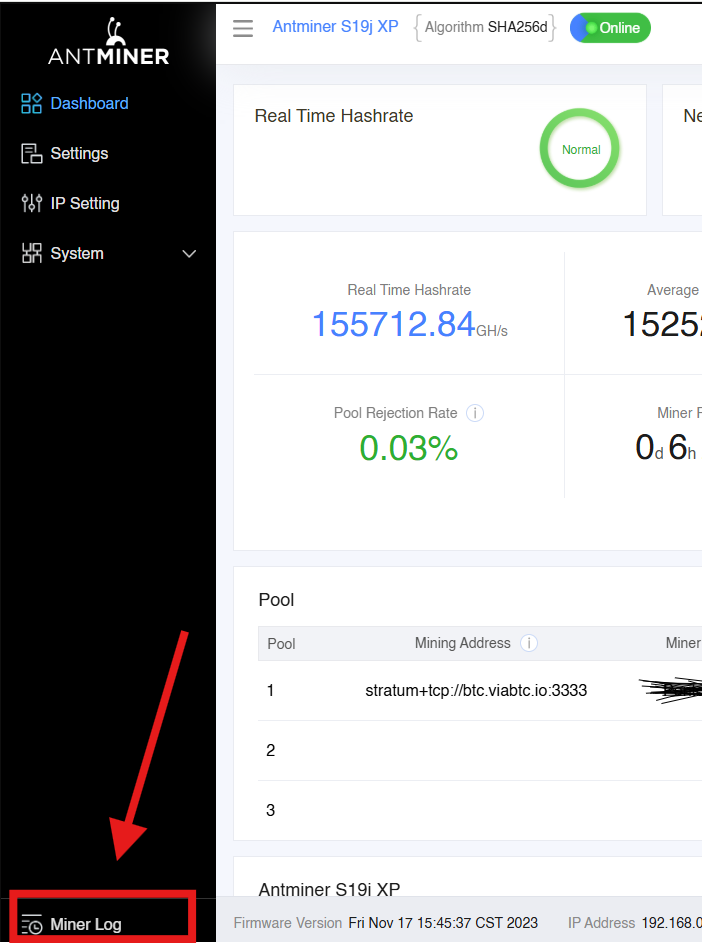
In the Antminer panel menu, look for the Miner Log option.
On some firmware versions, this option may appear in the side menu or at the bottom of the panel.
Click on Miner Log to open the area where the machine's records are stored.
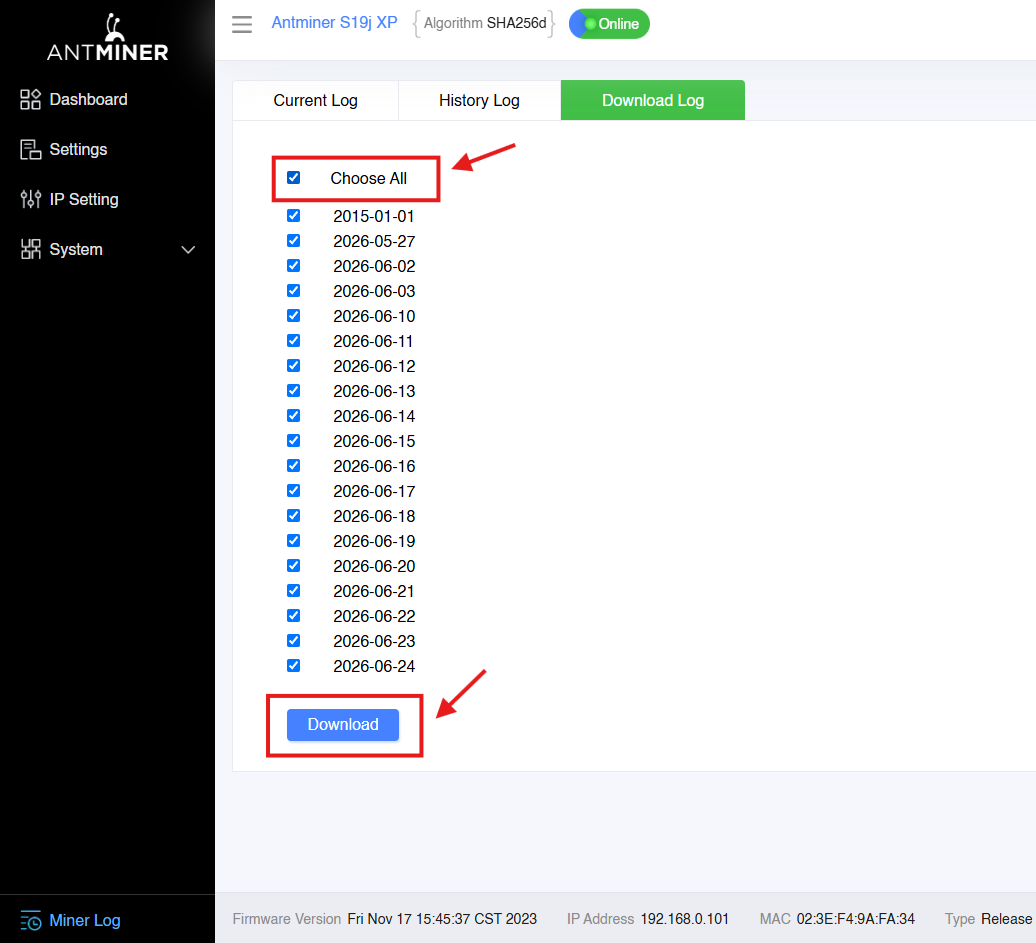
Step 3: Click on Download Log
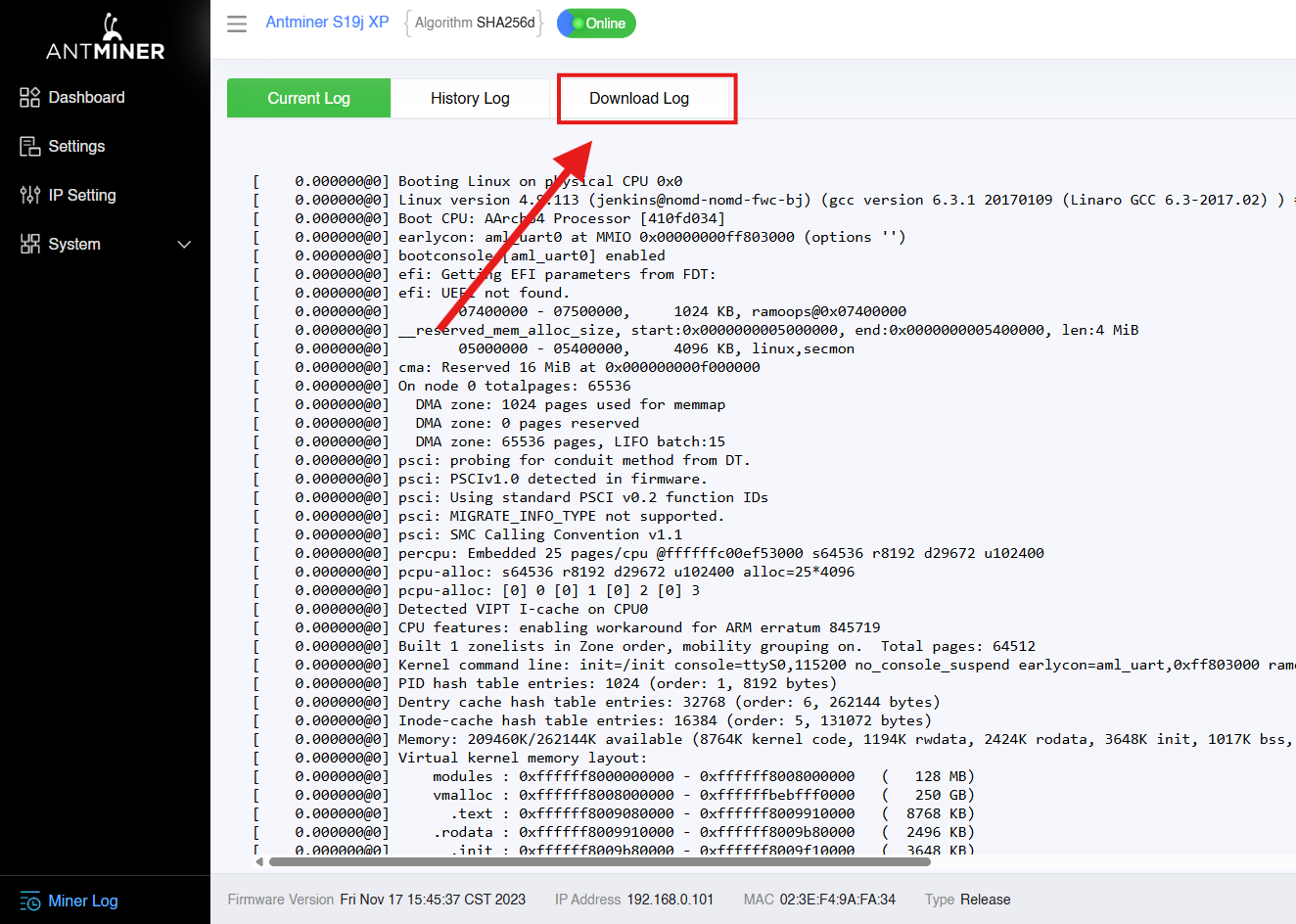
Inside the log page, look for the Download Log button.
This button lets you download the machine's log files to send for technical analysis.
Click Download Log.
Step 4: Download the current log
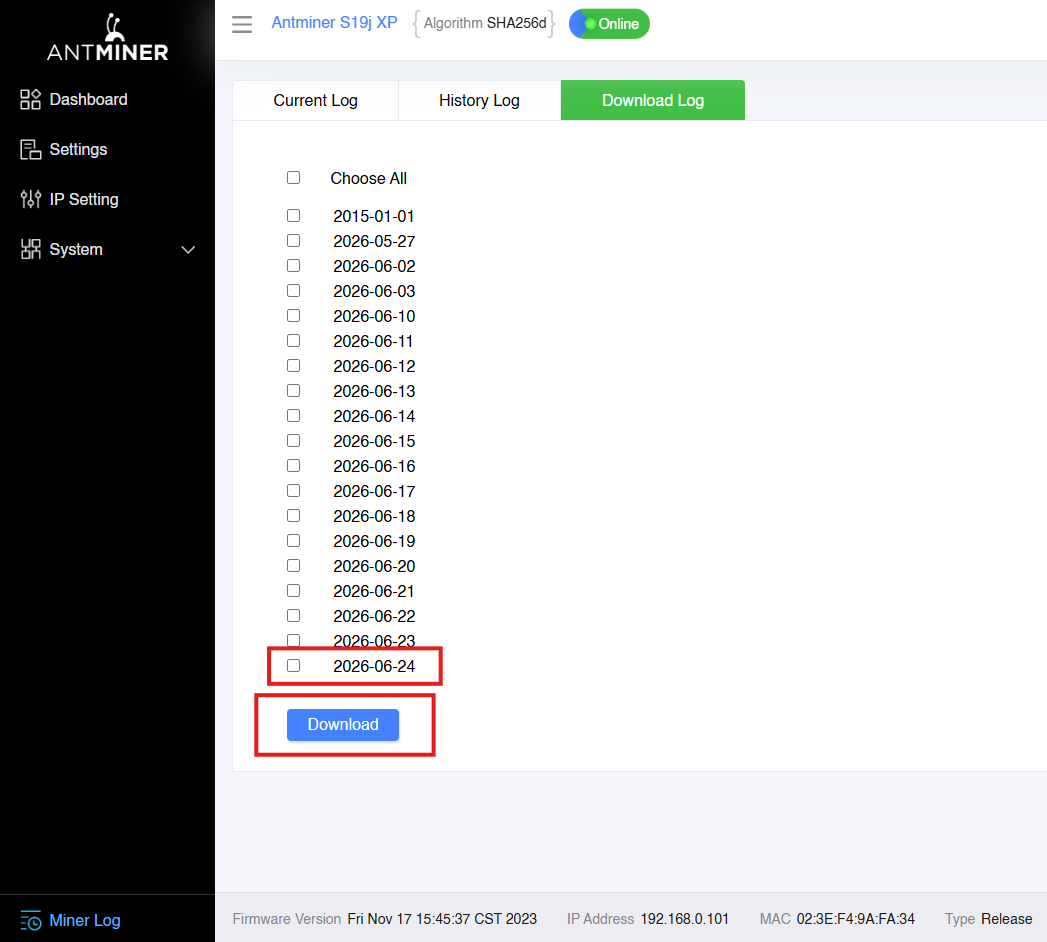
To download the current log, look for the most recent record available on the list.
Usually, the current log shows up with the most recent date.
Select the newest log and click Download.
This file shows the Antminer's most recent information and is the most important one for an initial analysis.
Step 5: Download the log history, if needed
Besides the current log, you can also download the Antminer's log history.
To do this, check the Choose All option or manually select logs from previous dates. Then click Download.
Note: if the file gets too large or won't download properly, select only the logs from the last few days.
Step 6: Send the file for LDM's analysis
After downloading, a compressed file will be generated on your computer. This file may show up in .tar, .gz, .zip, or another compressed format, depending on the machine's firmware.
Send this file to LDM Brasil Repair along with:
- Antminer model;
- Description of the problem;
- A photo of the panel, if possible;
- Whether it uses original or custom firmware;
- Whether the machine was running overclocked or with default settings.
With this information, it's much easier to do an initial analysis of the defect.

Why is the kernel log important?
The kernel log records several stages of the Antminer's operation. It can show errors such as:
- Undetected hashboard;
- Chain error;
- Find 0 ASIC;
- Nonce CRC error;
- ERROR_TEMP_TOO_HIGH;
- Fan error;
- PSU error;
- Communication failure;
- Sensor error;
- Startup issues.
Because of that, before sending a machine or hashboard for repair, it's recommended to download and send the kernel log for analysis.
Conclusion
Downloading the Antminer kernel log is a simple procedure that helps a lot with the initial diagnosis of the machine.
If your Antminer has zero hashrate, a hashboard error, a temperature error, a chain error, or any failure on the panel, follow this step-by-step guide and send the file to LDM Brasil Repair.
Our team can analyze the log and point you toward the best path for a professional technical evaluation.